This week brings clearer ways to plan upcoming move-ins, review a property’s process history, and focus phone reports on your team. You’ll also find more readable Inbox messages, smoother Jotform submissions, and an introduction to LeadSimple One.
Processes & Workflows
- 🏠 Plan around upcoming move-ins. Add Future Lease Move-In Date to your Process dashboard, sort or filter by it, and save views such as move-ins in the next 14 days. For processes linked to multiple units, the earliest available date helps you prioritize preparation.
- 📅 Find the right process on a property. A property’s process list shows created and completed dates, with sorting and filters for process type and status. It’s easier to find the latest completed renewal or check what’s still open.
- 🔎 Find every eligible workflow assignee. Search for teammates when assigning a step in Stages & Workflows, and scroll to load more choices. Large teams can select eligible users throughout the list.
- 🧭 Follow a consistent stage order. Stage tiles and dropdowns on lead and process details follow the order in your settings, making it easier to see where work stands and choose the next stage.
- 🔄 Share complete process templates. Shared templates more reliably carry their stages and workflow steps into the receiving account, so your team can start from the workflow you intended to share.
Phone & Reporting
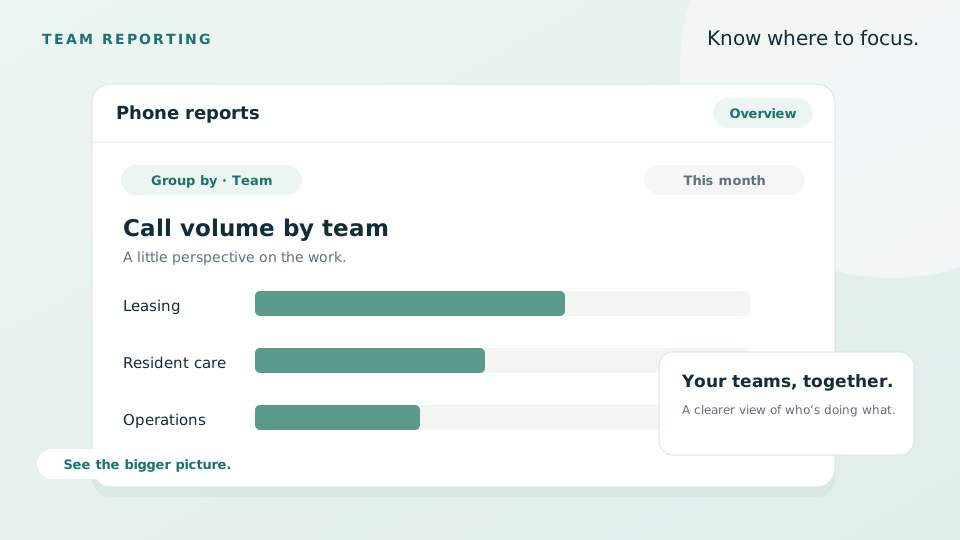
- 📊 Focus phone reports on a selected team. When you select a team in a grouped phone report, the call list beneath the chart follows that selection. Review the matching calls, move through the filtered results, and share the selected view with a teammate.
- 🔔 Keep missed-call alerts relevant. Missed-call bell notifications go to teammates whose devices rang, helping each person focus on their own missed calls. You can control these alerts with the new “Show missed call notifications on bell” preference in your notification settings.
Inbox
- 📬 Read incoming emails more easily. Emails with near-white text on a light background are easier to read in the Inbox conversation view, so your team can follow the conversation more easily.
Integrations
- 📝 Keep Jotform submissions organized. When an email match isn’t available, submissions can match an existing contact by full name and a valid phone number, helping reduce duplicate contacts. Processes created from Jotform also follow your configured Singular Name template, including available contact merge tags.
- 👤 Know who paused an integration. Integration pause notifications include the teammate’s name when available, so you can follow up with the right person.
Introducing LeadSimple One
Missed the webinar? LeadSimple One brings growth, operations, and communications into a shared workspace for property management teams, helping you spend less time piecing together information and more time caring for owners and residents.
- 🏠 Connect growth with daily operations. Keep owner inquiries, follow-ups, onboarding, and workflows together, with clear responsibilities for your team.
- 📬 Keep conversations connected. Bring calls, texts, and email together with the relationship behind them, and use built-in Team Chat to coordinate with teammates.
- ✍️ Move agreements forward. Reuse document templates, follow signer progress, and keep signed agreements connected to your workflows.
- ✨ Put AI to work with your team. Ask for help or delegate supported tasks to LeadSimple AI, then follow progress, inspect results, and step in where your judgment is needed.
Watch the webinar recording for a walkthrough, or explore LeadSimple One to see how it fits your business.