Here’s our round of updates for the past 3 weeks!
➡️ Change stages automatically in a workflow based on conditional logic!
We added a “stage change” step option to lead and process workflows. Now you can automatically change the stage of a process based on conditional logic, or specify the exact stage you want your team to move the process to at any point. This opens up tons of automation possibilities for your processes!

 The workflow step will generate a manual, or automatic task just like an email or text message task.

✅ Shift+click to quickly select multiple leads or processes in the list at a time
This one should save you time and a lot of clicks! Now you can select one lead or process in your dashboard list, hold the SHIFT key and click further down the list to select all the leads/processes in between! Bulk actions should take less time this way. Watch the video
🌆 Float images left to create prettier email signatures
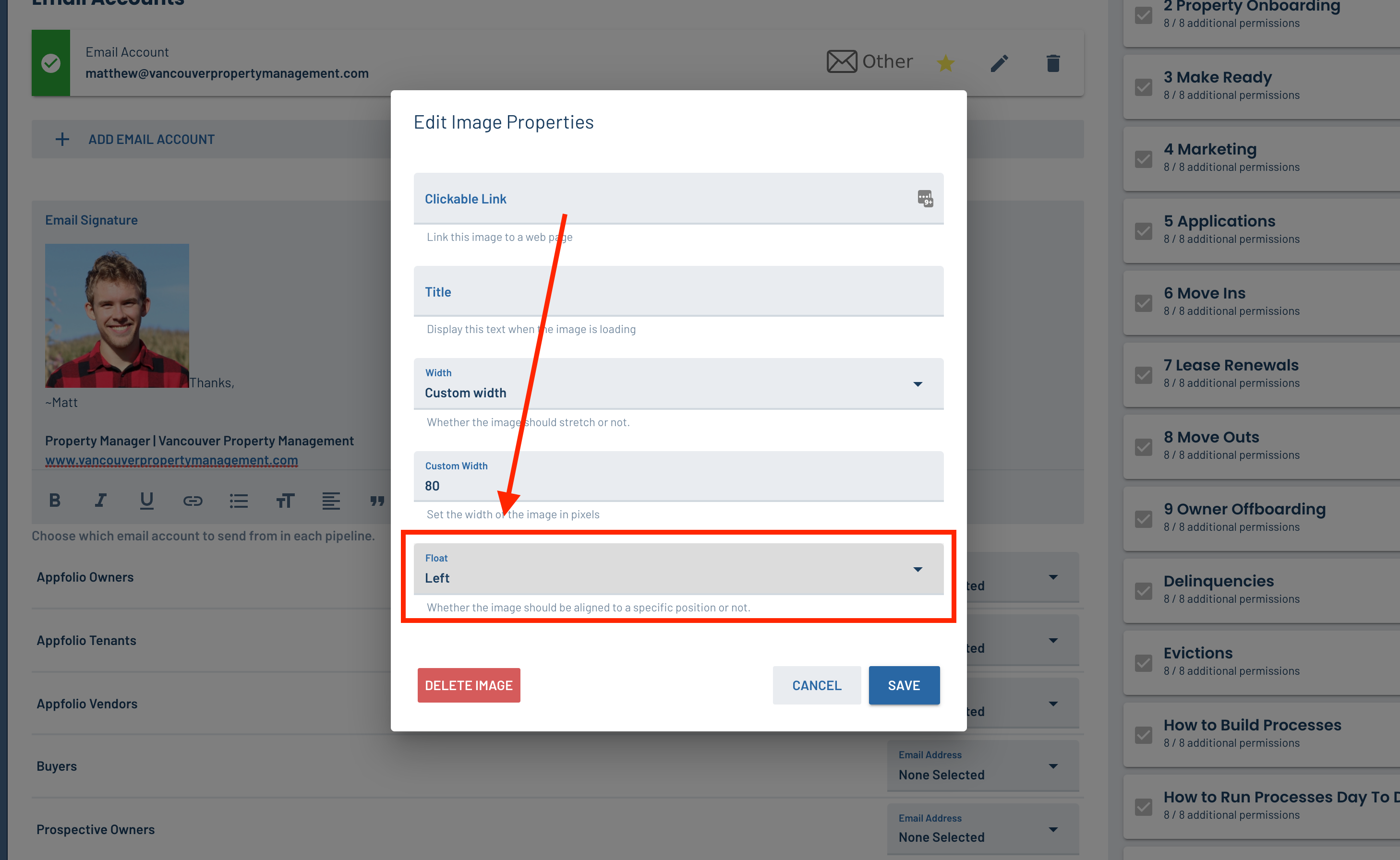
You can customize your email signature more than before by using the new “float” feature on images.
- Go to your profile settings page in LeadSimple (click on your name in the sidebar)
- Add an image of yourself to the “Email Signature” field
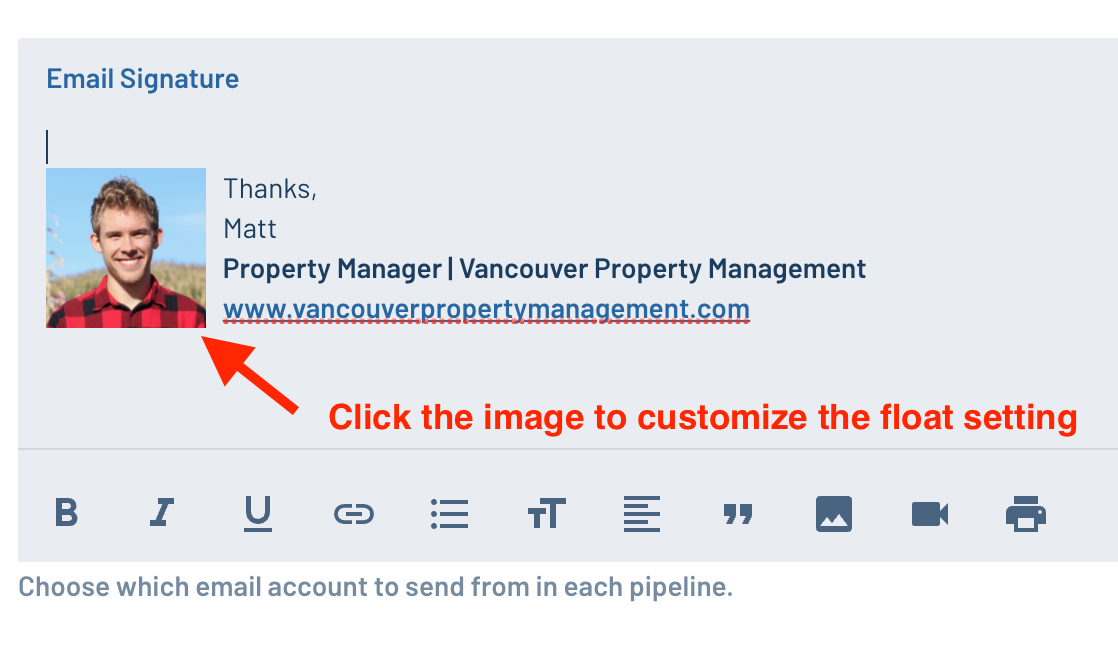
- Click the image and select “Left” from the “Float” selector at the bottom of the window that appears
 The picture of yourself will be nicely aligned with any text, links or contact info you want to add!
📉 Conditional logic on the property “state” field
If you manage properties in multiple geographic locations (markets) you can now build variations into your process based on the state the property is in.
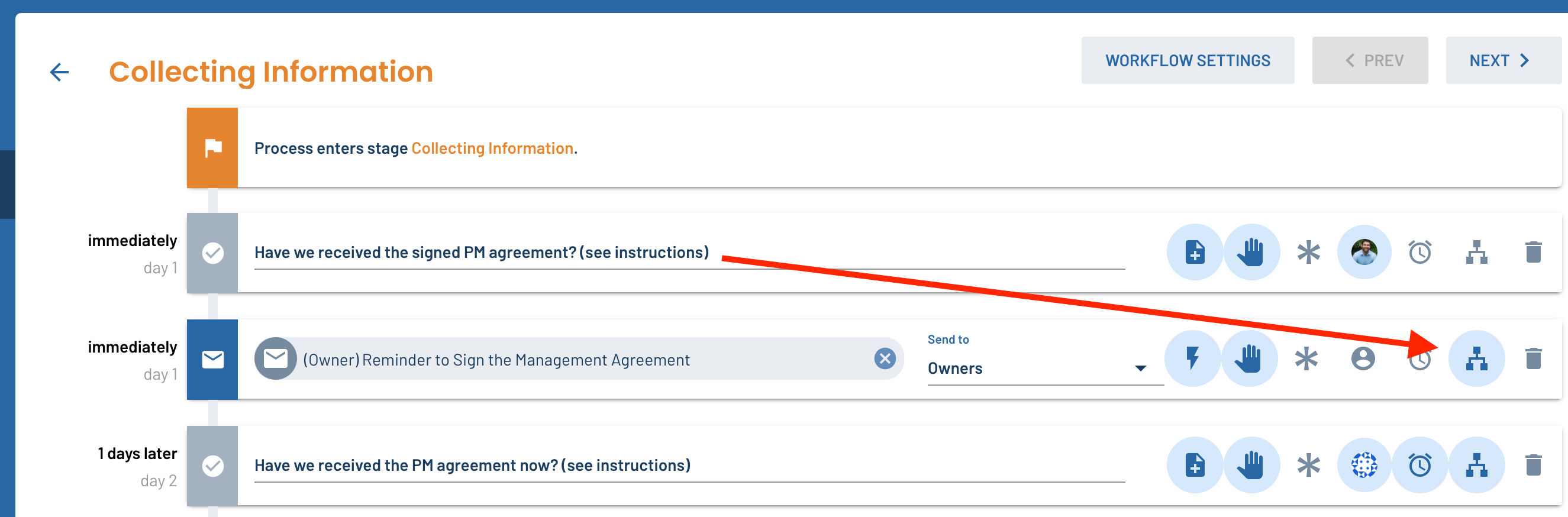
- Go to the stages & workflows settings for any pipeline or process type
- Click on a stage
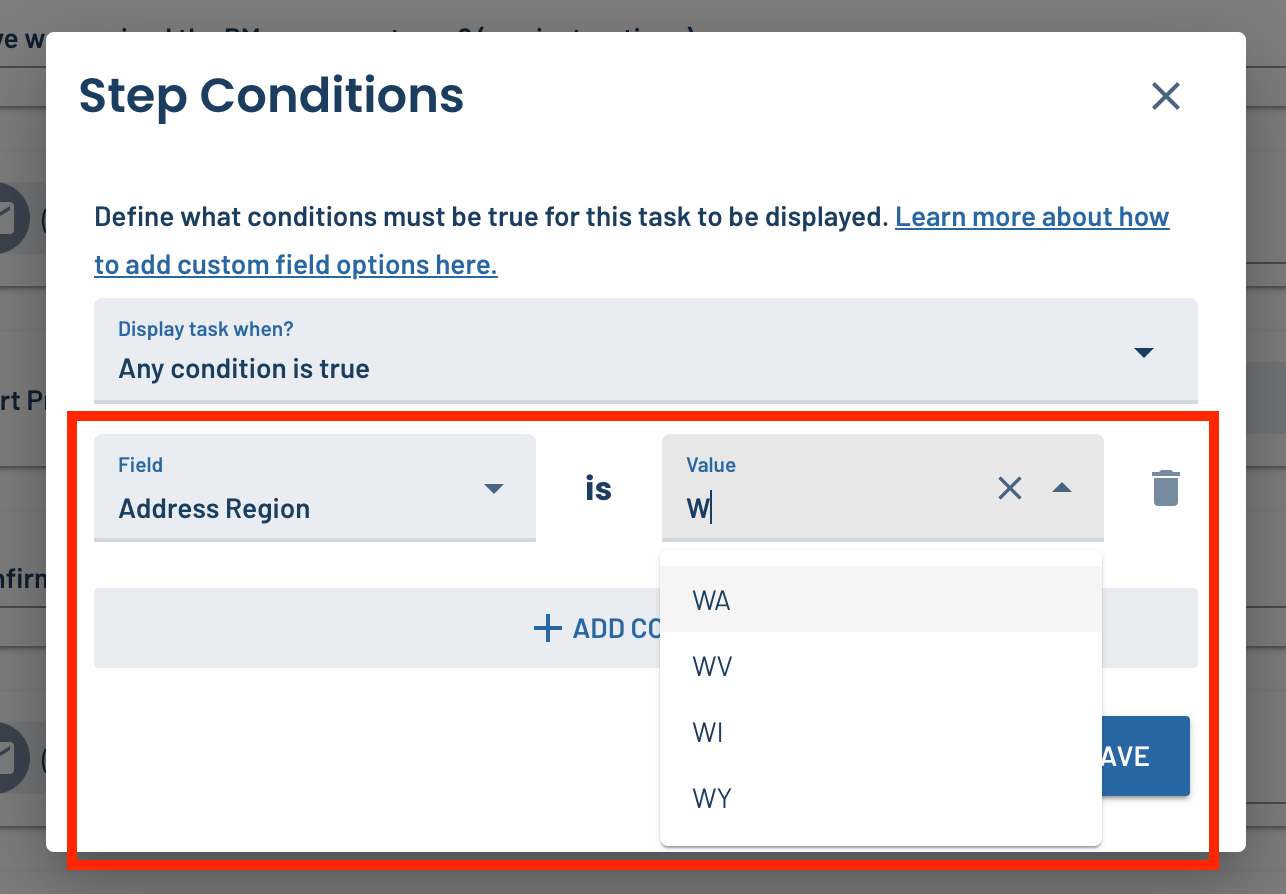
- Click the conditional logic icon on any step in the stage and search for “Address Region”
- Select the U.S. state you want from the list of options
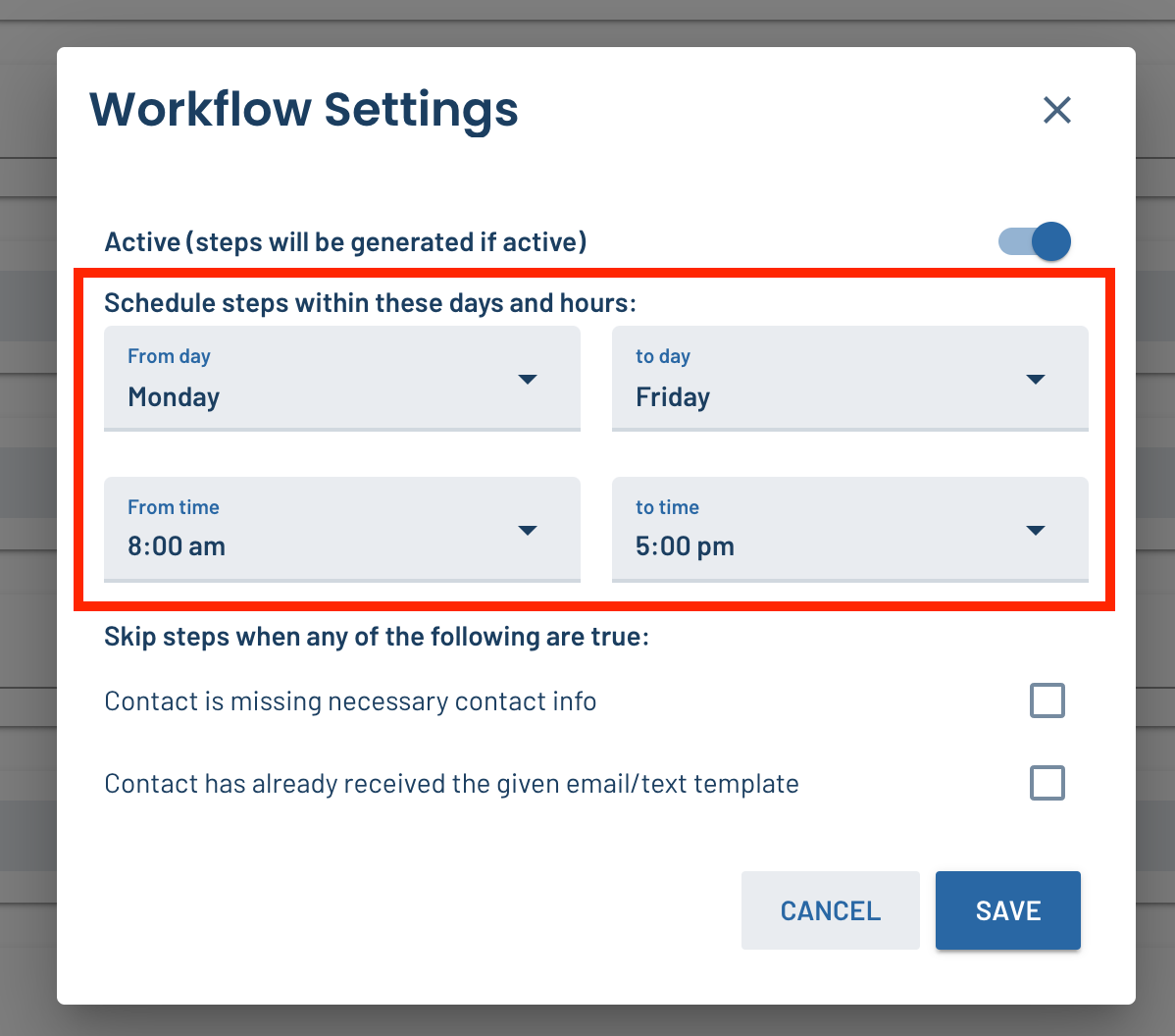
🕰 Change the default workflow hours for process types to Mon-Fri, 9am-5pm
Now, when you create a new process type the default workflow hours will be Monday - Friday, 9am - 5pm instead of what they used to be (Sunday - Sunday, 8am - 5pm). Workflow hours dictate when your workflow tasks will be scheduled. This change ensures process tasks aren’t schedule for weekends when your team is out of the office.
🐛 Several bug fixes and small UX improvements
- CCed and BCCed email addresses now show up in email activities like they should (before, only the TO and FROM email addresses were being displayed)
- Fixed data fields in task instructions that could not be filled out
- Added a link to the correct instructions for the RentManager software integration
Thanks for checking out this week’s updates. Let us know what you think!