Forward emails from LeadSimple!
We added an email forwarding feature to LeadSimple to fill a longstanding gap in the Inbox platform. This feature is available to everyone though, even if you don’t use Inbox yet!
It’s pretty straightforward (pun intended), but here’s how it works 😉
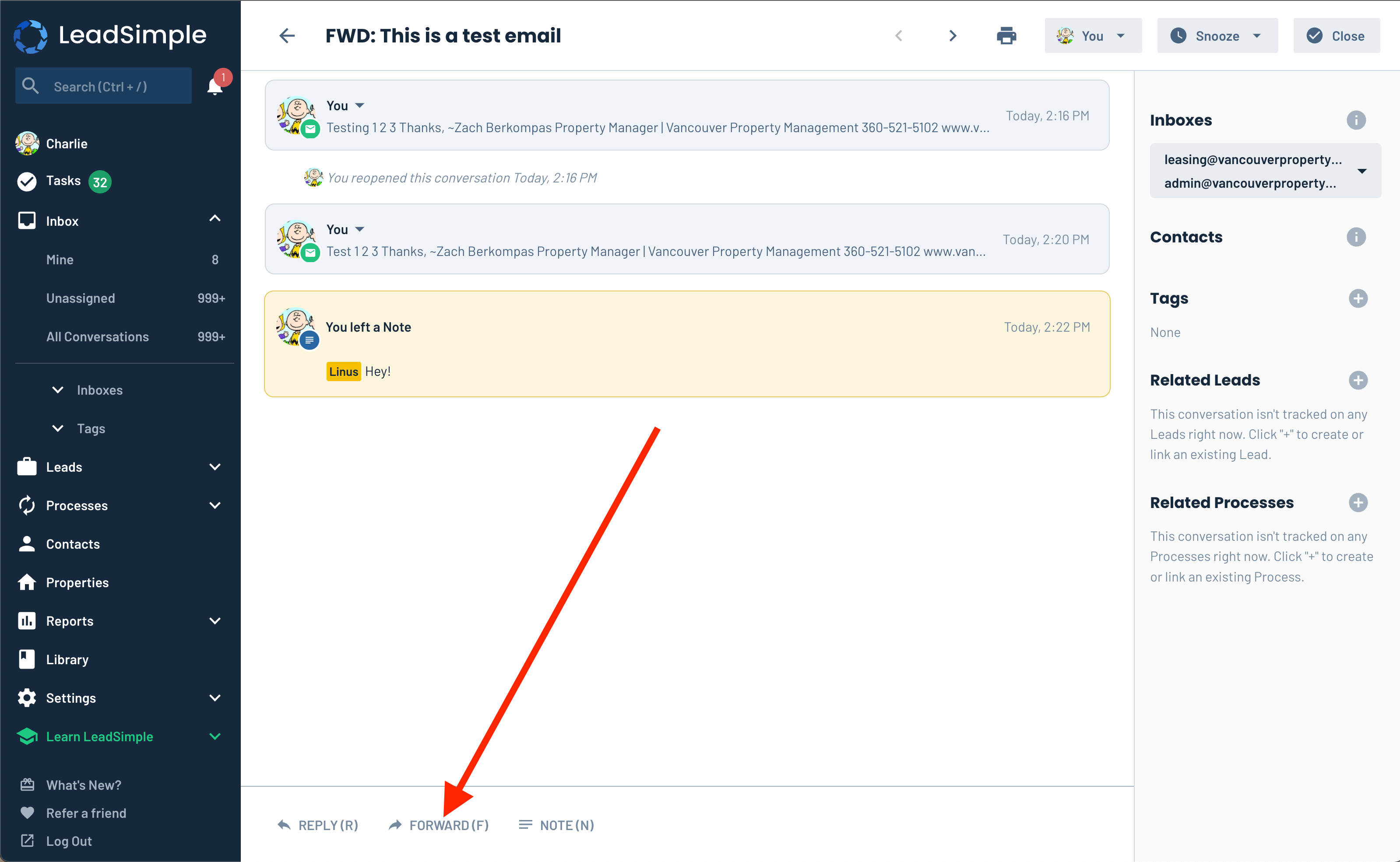
- Navigate to an Inbox conversation, Lead, or Process
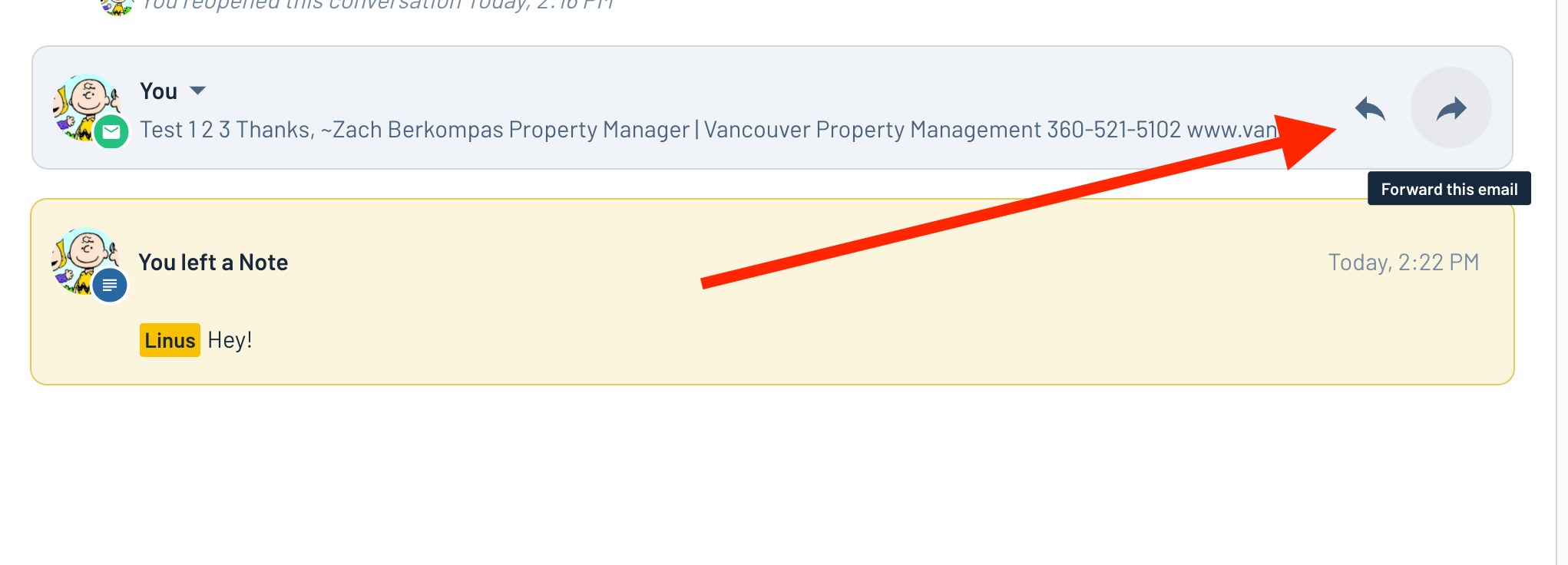
- Click the new “forward” button, or use the keyboard shortcut “F” (on Leads/Processes, find and email, open it and click the forward button in the upper right)
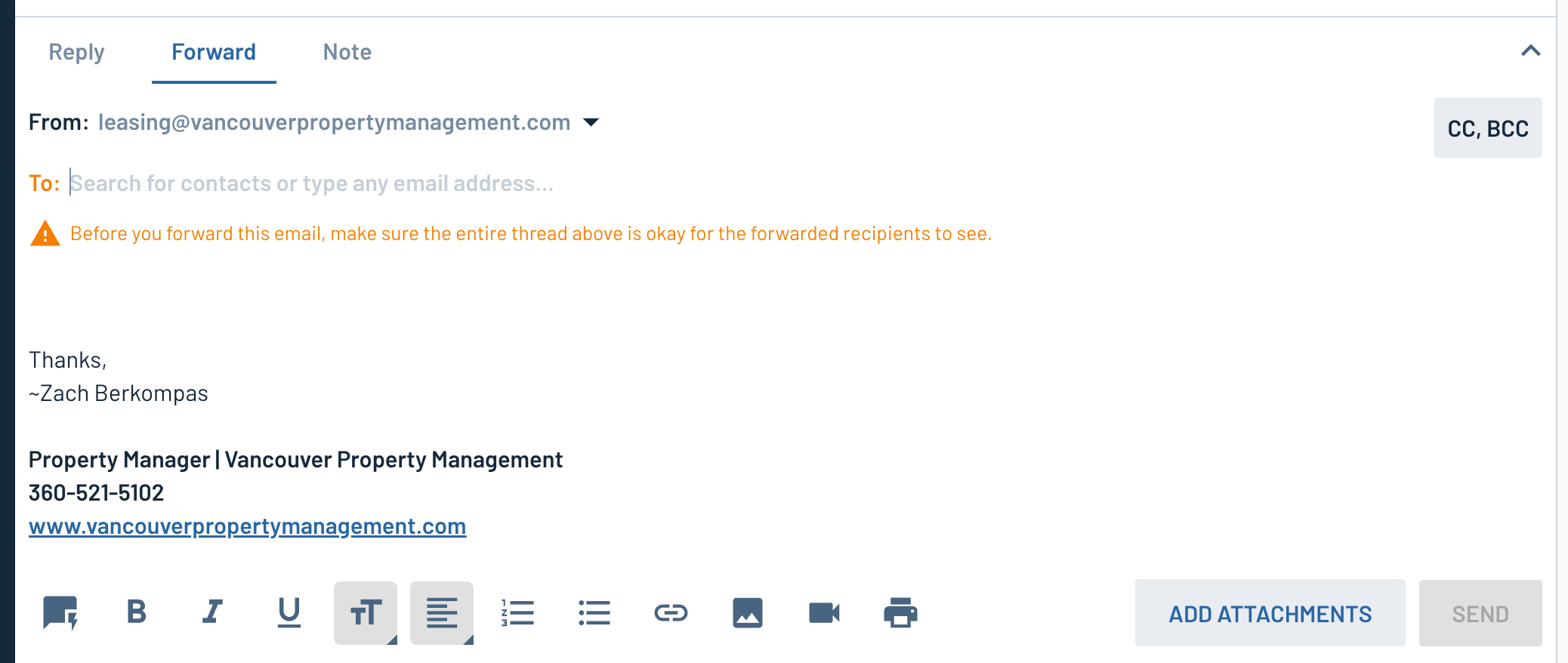
- Type the email address of the person you want to forward to
- Write your message and hit “send”!
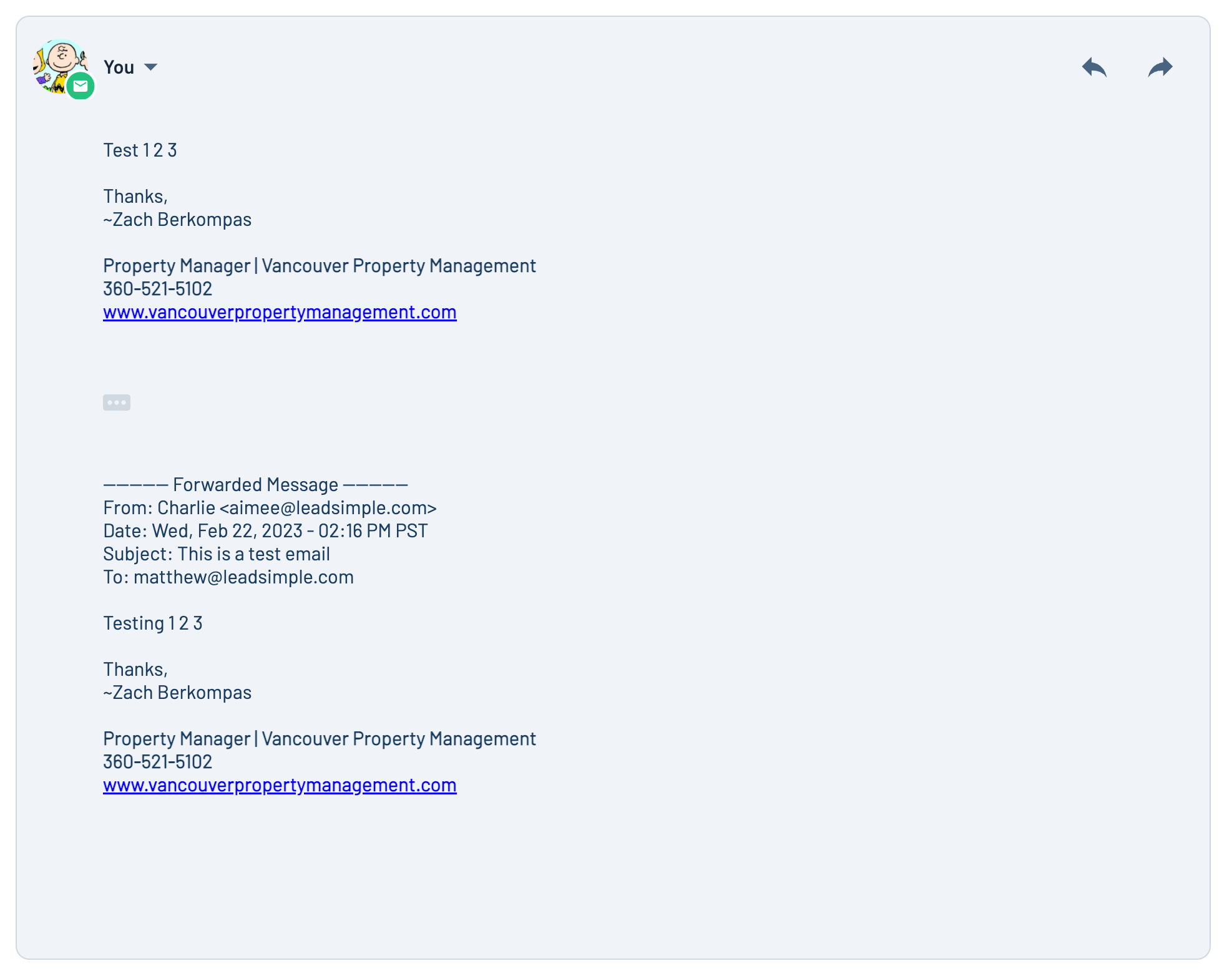
The contents of the forwarded email will be visible to the recipient behind the three dots at the bottom of your email to them.
Reply to specific emails in a thread
You can also reply to specific emails in a thread to make it easier for the recipient to tell what message you are replying to! Just click the reply button on any email activity in a thread and that email will be appended below your email to the recipient so they know.
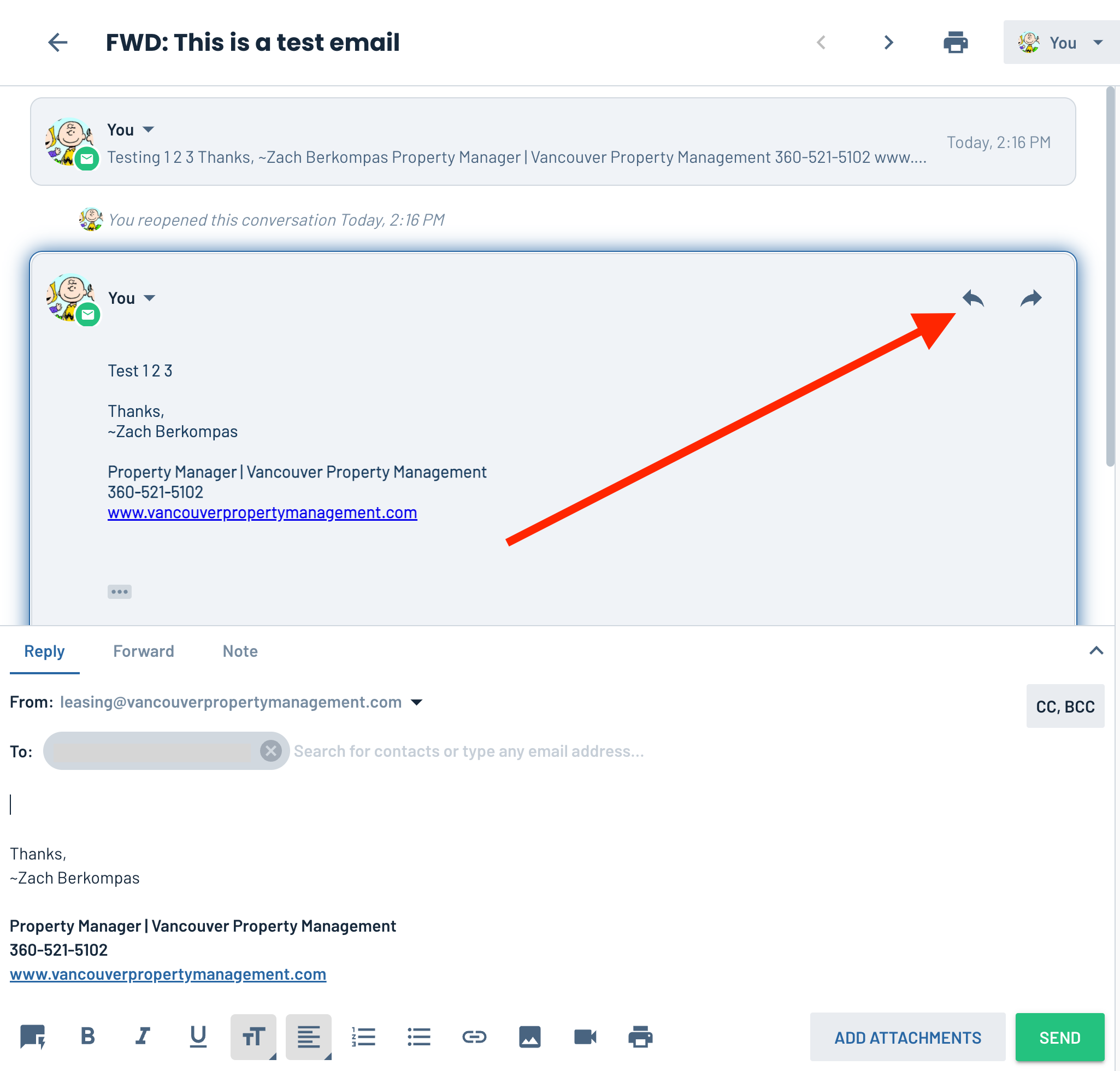
The email you are replying to is highlighted blue so you don’t forget.
Enjoy!