✨ Continued progress on the Inbox / conversation module ⚡️💌
The new, shiny inbox is making steady progress. Stay tuned…
♻️ Performance & Speed Improvements
We’re continuing to improve the speed of the software, so you can get work done quickly without waiting on loading screens. If you notice a page that’s particularly slow, let us know!
✨ Improved tracking of email communications on processes
LeadSimple now does a better job of tracking email communications that are related to a specific process, instead of tracking all of the communication with that client on the process. User’s with limited access now will only see the communication they need to see.
Pro Tip: If an irrelevant email shows up on a process though, you can un-link that email from the process with one click like this:

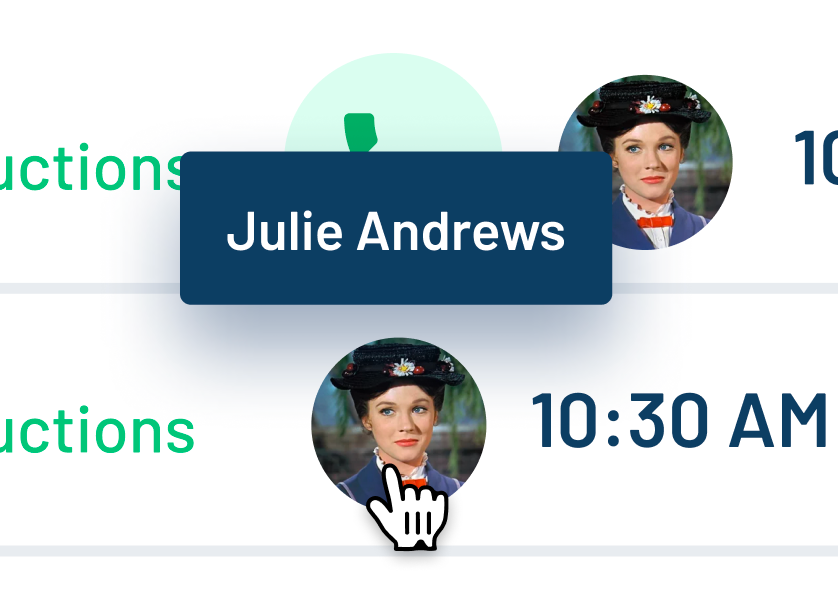
✨ Display the name of the user who’s assigned to a task
Now, when you hover over the user’s picture on a task their name will appear. No more guessing who is assigned to each task, especially if their profile picture is hard to recognize!
🐛 Fixed: Zapier not respecting Unit ID when looking up specific units
Now, Zapier allows you to search for a specific unit using the Unit ID. This is a lot more reliable than using the unit number!
🐛 Fixed: Phone performance report displaying an inaccurate number of calls
Now you can rely on the phone performance report to display accurate data all the time.
🐛 Fixed: Open/click rates not being tracked properly on email templates
Email template open and click rates are tracking properly again. Sorry about that!
What’s coming soon?
- ✨ New feature for changing a stage in the middle of a process
- ✨ Auto-texting all primary tenants individually on a process, instead of just one
- ✨ Warning when completing a process task without filling in all the fields
- ✨ Get started with a process template faster
Have a feature idea? Head to feedback.leadsimple.com and let us know. We review every request!